

Signs Your Website Looks Good but Still Is Not Converting

Many business owners invest heavily in design, branding, and visuals but still struggle with one frustrating problem: a website not getting leads.
The website may look polished and professional, but inquiries remain low. This situation is more common than most people realize.
A good-looking website does not automatically become a conversion-focused website. In many cases, the issue is not the design itself but the messaging, structure, trust signals, and user experience behind it.
If your website is getting traffic but not generating inquiries, there are usually clear reasons why—and most of them can be fixed with practical improvements.
Why a Website Can Look Good but Still Fail
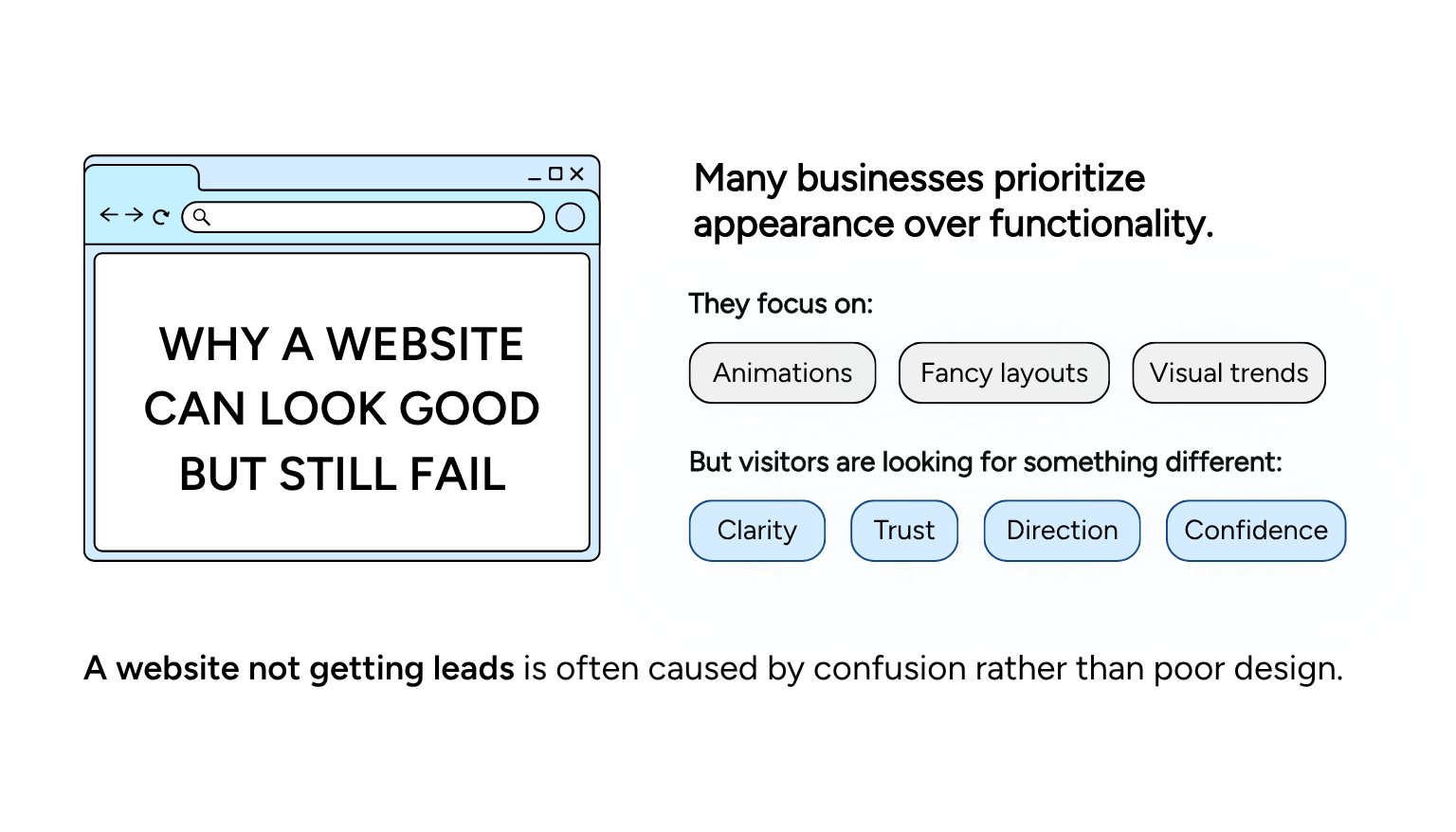
Many businesses prioritize appearance over functionality.
They focus on:
- Animations
- Fancy layouts
- Visual trends
But visitors are looking for something different:
- Clarity
- Trust
- Direction
- Confidence
A website not getting leads is often caused by confusion rather than poor design.
Visitors should immediately understand:
- What you do
- Who you help
- Why they should trust you
- What action to take next
If those answers are missing, conversions drop.
Signs Your Website Is Not Converting Properly
1. Your Messaging Is Too Vague
One of the biggest reasons for a website not getting leads is unclear messaging.
Many websites use broad statements like:
- “Helping businesses grow”
- “Solutions for success”
- “Professional services for modern businesses”
These phrases sound polished but say very little.
Your homepage should clearly explain:
- What you do
- Who you help
- What result clients can expect
Clarity converts better than clever wording.
2. Your Website Structure Is Confusing
Visitors should be able to navigate your website easily.
If users struggle to find:
- Services
- Contact information
- Pricing
- Important details
They are more likely to leave.
A strong structure begins with understanding what pages should every website have so users can move through your site naturally.
3. Your Website Has Weak Calls-to-Action
Many websites expect visitors to figure out what to do next.
But users need direction.
Strong calls-to-action should:
- Be visible
- Be specific
- Appear throughout the website
Examples:
- Book a Consultation
- Schedule a Call
- Request a Quote
A website not getting leads often lacks clear next steps.
4. You Don’t Have Enough Trust Signals
Trust is critical online.
Visitors need reassurance before contacting you.
Trust signals include:
- Testimonials
- Reviews
- Certifications
- Case studies
- Professional photography
Without these elements, visitors hesitate.
This is especially important for service-based businesses where credibility influences buying decisions.
5. Your Website Is Slow or Poor on Mobile
A poor user experience affects conversions immediately.
If your site:
- Loads slowly
- Feels difficult to navigate
- Breaks on mobile devices
Visitors leave quickly.
Google also considers mobile experience and website performance as ranking factors.
6. Your Branding Feels Inconsistent
Your website should feel aligned with your overall brand presence.
If your:
- LinkedIn profile
- Website
- Social media
- Google profile
All feel disconnected, trust decreases.
You can improve consistency using these LinkedIn profile branding tips.
7. Your Website Focuses Too Much on You Instead of the Client
Many websites talk too much about:
- The business
- The owner
- The company history
Instead of focusing on:
- Client problems
- Client outcomes
- Client goals
Visitors care most about how you can help them.
A conversion-focused website keeps the user at the center of the messaging.
How to Fix a Website Not Getting Leads
1. Improve Your Homepage Messaging
Your homepage should answer these questions immediately:
- What do you do?
- Who do you help?
- Why should someone trust you?
Avoid complicated language.
Simple messaging performs better.
2. Strengthen Your Website User Experience
Good user experience means:
- Easy navigation
- Fast loading speeds
- Clear structure
- Mobile responsiveness
Small usability improvements can increase conversions significantly.
3. Add More Trust Elements
To improve trust:
- Add testimonials
- Include real photos
- Show client results
- Display certifications or awards
Trust reduces hesitation.
4. Align Your Website with Your Brand
Your website should visually and strategically match your overall positioning.
If your branding feels outdated, it may be time to revisit how to rebrand my business strategies to create stronger alignment.
5. Improve Local Visibility
If you rely on local clients, your website should work together with your local SEO strategy.
Aligning your site with your Google Business Profile and your website helps improve visibility and credibility.
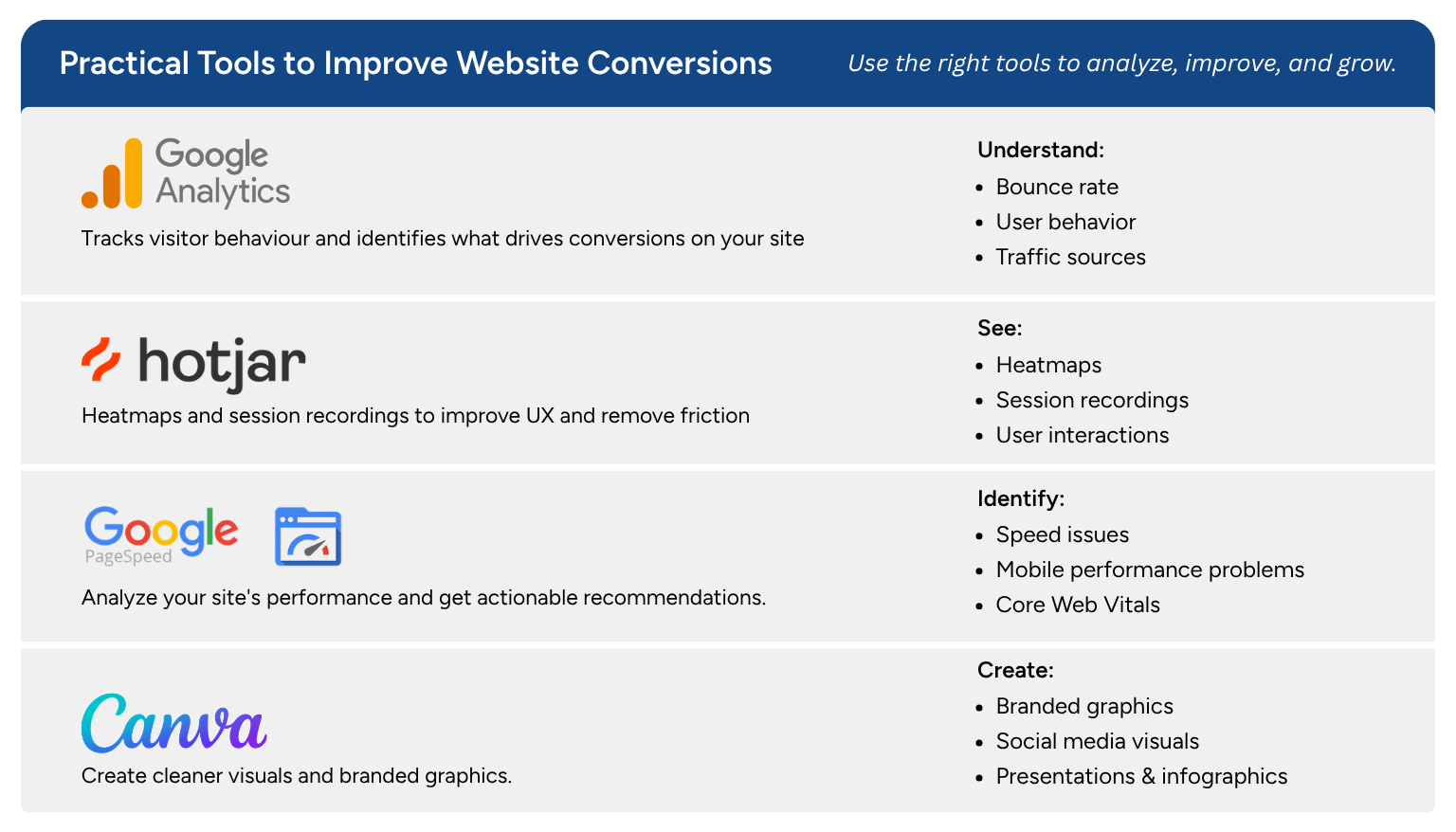
Practical Tools to Improve Website Conversions
Google Analytics
Understand:
- Bounce rate
- User behavior
- Traffic sources
Hotjar
See how users interact with your website.
Google PageSpeed Insights
Identify:
- Speed issues
- Mobile performance problems
Canva
Create cleaner visuals and branded graphics.
Common Mistakes That Hurt Conversions
1. Prioritizing Design Over Clarity
Beautiful websites still fail if visitors are confused.
2. Too Much Information
Overwhelming users reduces action.
3. Hidden Contact Information
Make contact options easy to find.
4. Weak Messaging
Generic language weakens positioning.
A website not getting leads is rarely caused by design alone.
In most cases, the issue comes down to:
- Unclear messaging
- Weak trust signals
- Poor user experience
- Lack of strategic direction
The good news is that these problems are fixable.
Small improvements in clarity, structure, trust, and branding can significantly improve conversions and help your website become a stronger lead-generation tool.
If your website looks professional but still is not bringing inquiries, start by reviewing your messaging, user experience, and trust elements. A few strategic updates can make a major difference in how visitors respond to your business.